
Multiple Angles AI: New Camera Angles from One Image
Upload a character, product or scene, choose where the camera goes, and generate a consistent new view. Build front, side and back reference sheets one angle at a time.
Multiple Angles Generator
Upload up to three references, set the direction, height and framing, then generate a new view.
Up to 3 images. Drag and drop or click to upload.
Matches the top diagram: where the camera sits around the subject.
Matches the side diagram: lens height and tilt.
Smaller dashed ring ≈ tighter framing; larger ≈ more scene (both diagrams).
Output
Generated images will appear here.
What Is Multiple Angles AI?
Multiple Angles AI is an image-to-image camera tool. You give it one to three reference images of the same subject and pick a camera position; it returns the subject seen from that direction, height and distance while keeping its design, colors and style.
- 96 camera positions: 8 directions around the subject × 4 heights (low, eye level, high, top-down) × 3 framings (close-up, medium, wide).
- Use it for characters, products, props or scenes; an optional prompt can add style or constraints.
- Download each directed view as JPEG, PNG or WebP.
How to Generate Multiple Angles from One Image
Three steps from a single reference to a new view.
Upload your reference
Add one to three clear images of the same subject. Extra references give the model more detail to keep consistent.
Set the camera
Pick the direction around the subject, the camera height and the framing. The preview diagram shows where the camera will sit.
Generate and download
Generate the view, then download it as JPEG, PNG or WebP. Repeat with new directions to build a full sheet.
Multiple Angle Examples
Reference sheets and design views made with directed camera angles.
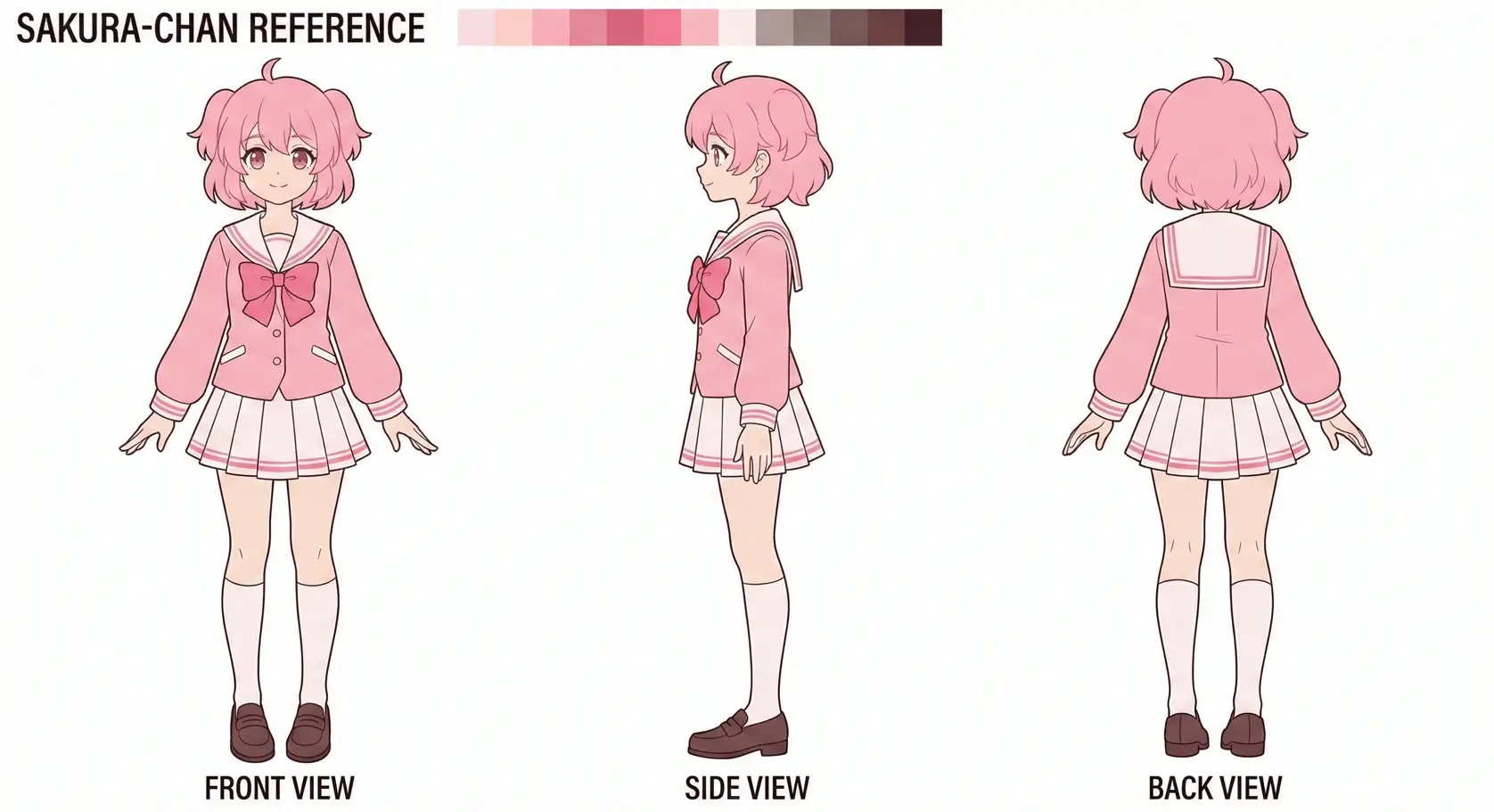
Anime Character Sheet
Use anime illustrations as references for directed views in Live2D and VTuber planning.
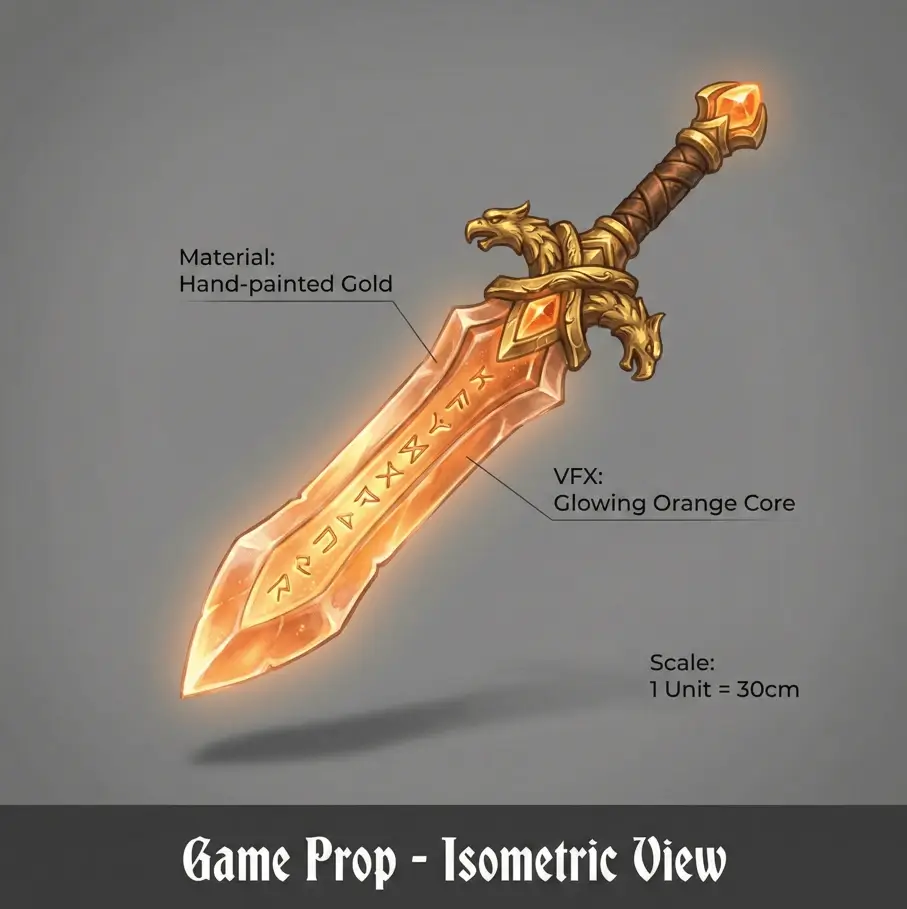
Game Character Reference
Create additional character references for Blender, Maya, and ZBrush modeling workflows.
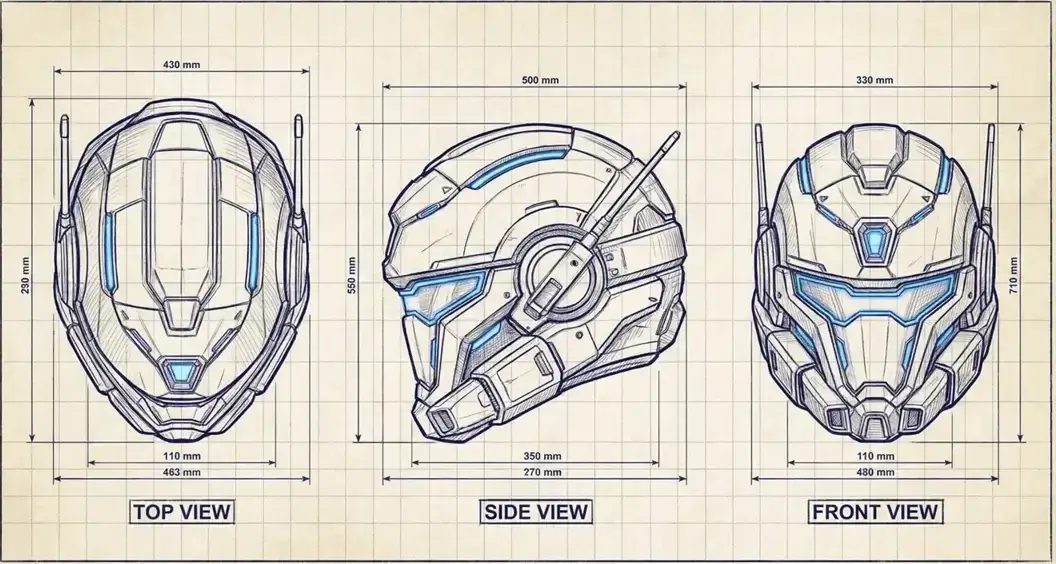
Concept Art Pipeline
Explore new camera directions from concept art while keeping the source image as your visual anchor.
Multiple Angles for Characters, VTubers and Concept Art
Dedicated generators with presets and prompts for each workflow.
Character Turnaround for Game Developers
Generate additional camera views to support 3D asset planning and modeling references.
Open generatorVTuber Reference Sheets
Explore a character from selected directions before commissioning or refining a Live2D rig.
Open generatorCharacter Side Views for Concept Artists
Use camera controls to explore a concept from new directions without redrawing every reference by hand.
Open generatorMultiple Angles AI FAQ
Answers about camera controls, references, credits and output.
Generate your next angle
Upload a reference, set the camera and get a new view in the same style.